


FAQs
General Information
What is Ride?
Ride is an all-in-one mobility app designed to streamline your travel experience by integrating various transport options across Nottinghamshire and Derbyshire into a single platform. Whether you’re planning, booking or paying for your journey, Ride offers a seamless and free to use solution within a single mobile app.
Who is behind Ride?
Ride is a programme being delivered by East Midlands Combined County Authority (EMCCA). It is supported by transport partners across the region to ensure a comprehensive service. The Ride platform is developed by Trafi, a team of mobility experts.
Why Ride and not Google?
Ride will provide a fully-integrated platform enabling a user to:
- Plan: undertake journey planning across all modes or your chosen modes of transport
- Book: select the itinerary that you wish to take, based on Ride’s suggested journeys
- Pay: from the selected journey, choose each leg and pay for it using your preferred payment options, including digital payments
- Ride: take the bus, using the digital tickets, or top-ups that you’ve purchased that are made available directly onto your phone’s ticket wallet
- Check: see on a map where your bus is, and also see next-departure information made available directly onto your phone. Ride will provide real-time information across all services showing not only arrival information, but allowing you to see where your bus is in real-time
Ride is a program that will continue to evolve and improve. The East Midlands Combined County Authority (EMCCA) will be adding new modes, incorporating additional ticketing solutions, increasing the visibility of personalised and accessible travel requirements, and of, course, incorporating personal travel modes such as Bike and Car to provide the catalyst for modal change and more sustainable travel options
In which languages is Ride available?
Ride is available in English
Where can I download Ride?
You can download Ride from the App Store for iOS devices here:
https://apps.apple.com/om/app/ride-ncc/id6743409806
and the Google Play Store for Android devices, here:
https://play.google.com/store/apps/details?id=uk.gov.nottinghamcity.ride
Why and how to use Ride?
Ride simplifies your travel by allowing you to plan, book, pay and ride for various transport modes all in one app. The aim is to make it as simple as possible for users to move around both cities with ease
What is the difference between Ride and the Robin Hood / Mango / NCT apps?
Unlike other apps that focus on specific transport modes, Ride is both multi-modal and intermodal, allowing you to combine public, private, and shared transport options such as trains, trams, buses, scooters, bikes, cars, and taxis
How old do I need to be to use Ride?
Ride is accessible to users of all ages, but certain services have age and identification restrictions:
To join Enterprise Car Club, you must be 19 or over. You must have had your full driving licence for one year if under the age of 22.
To rent a Dott e-scooter, you must be at least 18 years old, and have a Ride-verified driving licence.
To rent a Lime e-bike, you must be at least 18 years old, and have a Ride-verified official identification document.
Is Ride only for Nottinghamshire and Derbyshire?
Ride journey planning and real-time information is now available across all of Nottinghamshire and Derbyshire as well offering some cross boundary services to other counties. Check the app for the latest service coverage.
Does Ride use up a lot of my phone battery?
Your phone battery is mostly depleted when using Wi-Fi, Bluetooth and Screen brightness, most of which you probably use daily without thinking about it. Other than using the app, the Ride app does not use any additional phone battery, unless it’s being used to navigate from point A to point B, then it will use a comparable amount of battery to any other navigation app
Is the data available in Ride real-time data?
Yes, where real-time data exists and has been made available, the Ride app will use that data. So as an example, real-time bus locations are available from the Ride app. You can track where your actual bus is on a map, as well as view departure board timings for buses. Where real-time data isn’t available, the Ride app reverts to providing schedule data
Can I select my favourite forms of transport?
Yes, the Ride app comes with an extensive travel preferences selection where users can determine not only which modes of transport they wish to travel with, but also select an individual operator’s services
How will Ride help achieve CN28?
One of the primary reasons for Ride is to support and make door-to-door transport easier by removing some of the barriers of using public, shared and active transport modes. By focusing on simplifying transport and removing these barriers, the aim is to accelerate a shift away from private-car usage to more carbon-friendly, publicly-available transport in line with CN28
Will Ride consider accessibility? For example, wheelchair requirements or parents with child buggies, etc?
Ride has not at this time introduced accessibility-specific information. However, the authority has a remit to provide enhancements that will introduce not only static data, such as map-based or location-specific data, but also dynamically-created accessibility data – such as routing specific to a user’s needs. Watch this space for wheelchair-accessible routing and user-specific walking requirements, which will be coming soon.
Will Ride improve over time?
Ride is a multi-staged program, starting with a basic set of requirements. The program has already delivered a number of first-in-class features and functions and is scheduled to deliver a program of continuous improvement where every few months new features will be introduced, starting with some of the accessibility features discussed in these FAQs.
Using Ride
Which mobility options are included in Ride?
Ride includes options such as walking, driving, public transport, e-bikes, e-scooters and cars
Who are the mobility partners included in Ride? Will there be additional partners?
Ride partners include local transport providers and shared mobility services. We are continually expanding our partnerships to enhance your travel experience
How to rent an Enterprise Car Club vehicle?
To rent an Enterprise Car Club (ECC) vehicle, you must have an ECC account. This can be set up via the ECC app or website. Once you have an account, select the car rental disc in the app and follow the booking instructions
In which zone can I park an Enterprise Car Club car?
Enterprise Car Club vehicles have their own designated bays. You can find details of this in Ride and on your booking confirmation. At the end of your reservation, you must return the vehicle to the same bay that you picked it up from.
How can I use a self-service vehicle (e-scooter or e-bike)?
To rent an e-bike or e-scooter, you must have a Lime (e-bike) or Dott (e-scooter) account. These can be setup in Ride. Select the e-bike or e-scooter disc in the app and follow the booking instructions.
Simply scan the QR code or enter the unique ID of the vehicle in the app. Follow the on-screen instructions to start your ride
How can I cancel a car, e-bike or e-scooter booking and what happens then?
Follow Ride’s instructions to cancel a booking. Depending on the partner’s policy, cancellation fees may apply
Payments
Why is there a pre-authorised amount reserved on my card?
A pre-authorisation is placed on your card to ensure sufficient funds for your ride, when hiring an ECC vehicle, e-bike or e-scooter. The reserved amount will be adjusted to the actual cost after your journey
Why is there a pending charge showing in my account after using Ride?
Pending charges are temporary holds to confirm funds availability. They will be released once the transaction is finalised.
Which means of payment can I use in Ride? Is the payment method secured?
You can use Visa, MasterCard, Maestro, Google Pay and Apple Wallet. All payments are securely processed
How can I remove my payment cards?
To remove a payment card, delete it from your account settings. This may affect some functionality in Ride
Can I get a refund for my ticket?
Refunds are subject to the transport provider’s policy. Contact Ride customer support for assistance with your refund request
Tickets
What do I need to show in case of a ticket inspection?
It depends how you are travelling. You may need to present your validated Robin Hood card, or if on the tram, show the inspector the ticket for validation in Ride
Which tickets can I purchase for which transport mode?
You can purchase various tickets for buses and trams directly through Ride for almost all operators, including Robin Hood products. The list of specific public-transport products is still being worked on and is growing. Please check back in Ride to see what new operator tickets have been included
How can I integrate my season ticket in Ride?
Ride is integrated with the full suite of Robin Hood products. Users can check balances from the Ride app, add tops-ups, and even purchase new products. However, different operators offer different products, and the list is growing. Check out Ride to see which tickets are currently available
How to buy a ticket in Ride?
Navigate to the ‘Ticket’ section, select your desired transport operator, select the ticket and follow the purchase instructions
Data & Account
Is my personal data transferred to third parties?
Some data is shared with mobility partners to facilitate service use, such as refunds or service improvements. Refer to our Privacy Policy for more details
How do I create a user account?
Download Ride from your app store and follow the onboarding screens to get you started
Why are you asking for my gender and date of birth?
We need to check your date of birth as some tickets and rentals are age-restricted. We strive to provide as many services to meet all socio-demographics across the region. The provision of this data helps in defining where gaps could exist
I already have an account with one of the sharing providers. Can I log into Ride with that?
No, you need a separate Ride account
How do I reset my password?
Click ‘Forgot your password’ on the login screen, enter your email, and follow the instructions in the email you receive
Why has my account been suspended?
Account suspensions may occur if your account details do not match your identification documents, or fraudulent activity is detected. Contact Ride customer support to resolve the issue
How can I report a problem I experienced with Ride?
Use the Ride customer services channels, listed in Ride or on our website (support@rideeastmids.com).
List of Icons that are found in Ride
| Category | Icon Name | Icon Image |
|---|---|---|
| Transport | Bus |  |
| Tram |  |
|
| Train |  |
|
| e-scooter |  |
|
| Bike/ Personal bike |  |
|
| Car / Personal Car | 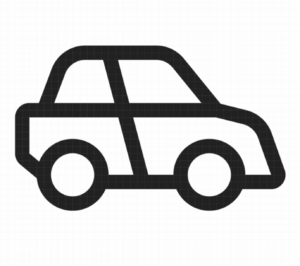 |
|
| e-bike | 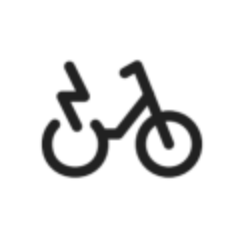 |
|
| Taxi |  |
|
| Car sharing | 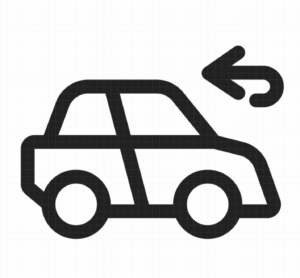 |
|
| Walk | 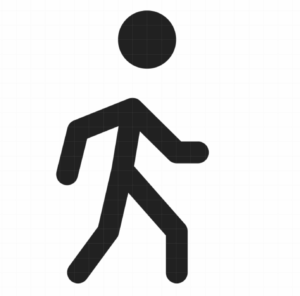 |
|
| Account | Profile |  |
| Trips and purchases |  |
|
| Payment |  |
|
| Providers |  |
|
| Settings |  |
|
| Support |  |
|
| Log out |  |
|
| Help us to improve |  |
|
| Delete |  |
|
| Share |  |
|
| Travel preferences |  |
|
| Tabs | Discover |  |
| Discover filled |  |
|
| Tickets |  |
|
| Tickets filled |  |
|
| Account |  |
|
| Account filled |  |
|
| Routing | Real time |  |
| Location/ places/ search | Recent |  |
| Search | |
|
| Favorite |  |
|
| Route search location |  |
|
| Home |  |
|
| Work |  |
|
| Map |  |
|
| Current location |  |
|
| Switch |  |
|
| Thumbs up |  |
|
| Thumbs down |  |
|
| Ticketing | Annual |  |
| 1 day |  |
|
| 7 day |  |
|
| 4 weeks |  |
|
| Single |  |
|
| Short trip |  |
|
| Pet |  |
|
| Group |  |
|
| Help/ other | Call |  |
|